



|


|
 |
 |
 |
|
QODBC is a fully functional ODBC driver for reading and writing
QuickBooks 2010/11 and 2009/10 (without multi-currency support), 2008/09, 2007/08, 2006/07, 2005/06, 2004 and 2003
Pro, Premier, Accountant and Enterprise accounting data files by using standard SQL queries.
Many applications have ODBC support built-in and can automatically use
QuickBooks data once this driver has been installed. Applications such
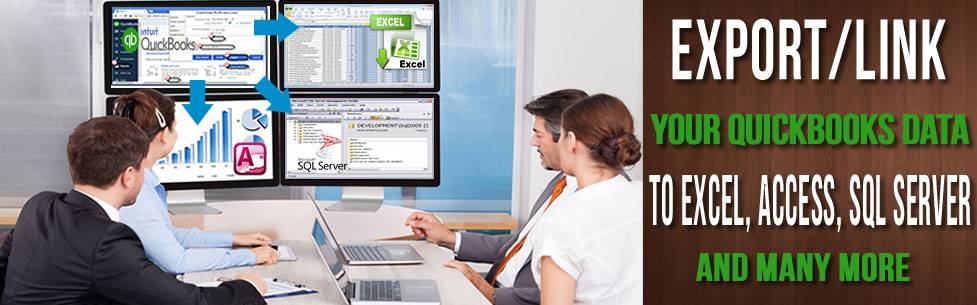
as Microsoft Access,
Excel,
Visual Basic,
Visual Studio or Business Objects'
Crystal Reports will immediately have real-time data access to your
critical accounting data. Many hours can be saved by using QODBC to
enter invoices automatically, and data from multiple applications and sites can easily be
merged, making this tool an invaluable asset to every QuickBooks user.
Because of the
limitations of the SDK release used in the Australian/New
Zealand/Singapore edition of QuickBooks, QODBC cannot be used under the
Microsoft Vista or Windows 7 operating system unless you are using QuickBooks 2008/09,
2009/10
or 2010/11.

Version 10.0 Now Available for QuickBooks
2010/11
QODBC Version 10 for QuickBooks 2010/11 is available for immediate download.
If you're an existing QODBC user and have been using QuickBooks 2006/07,
2007/08, 2008/09
or 2009/10,
and have now upgraded to QuickBooks 2010/11, you will need to purchase a
new QODBC CDKey Code for QuickBooks 2010/11.
Desktop Read only, Read/Write and
Server versions of this driver are
available. When you install QODBC it automatically
activates a
FREE 30 Day QODBC Server Edition Evaluation... so there's nothing to
stop you from putting QODBC to work today!
After 30 Days you will need to purchase a
Desktop or Server
Edition CD Key.
See our link on "How
to Install QODBC?" for step by step details on how to
download and setup QODBC.
QODBC works by
accepting SQL commands through the ODBC Interface, then converting those
calls to qbXML navigational commands within the QuickBooks SDK and
returning record sets that qualify for the query results and may also be
easily used to update or insert records into QuickBooks. Examples of how
to create invoices, purchase orders, payments, credits etc. can by found
directly on our QODBC
Sample SQL Scripts webpage. This driver is
not a Client/Server product, and it navigates the QuickBooks qbXML SDK
directly on the workstation or server running QuickBooks.
QODBC also supports the printing of all
the QuickBooks Reports through the ODBC Interface, see our webpage on
Data Schema REPORT DETAILS
for all the sp_reports (stored procedure reports) that may be accessed including information about the columns and
the parameters for each report.
Read more 

QODBC Desktop Edition
Here are just some of the exciting
features of using QODBC Desktop Edition:-
 | Access the Transaction Core of
QuickBooks Accounting Data such as Invoices, Bills, Purchase Orders,
Checks, Credit Memos, Estimates, Payments, Sales, Employee Time
Tracking. Over 80 tables in all!* |
 | Generate Powerful QuickBooks Reports
in your own applications such as Details on AR & AP, Aging Reports,
Balance Sheet, Collections, Transaction Detail, 1099 Detail, Customer
Balance Detail, Estimates, Expenses, General Ledger, Income Detail,
Tax Detail, Inventory Detail, Item Profitability, Inventory Status &
Valuation, Job Profitability, Open Invoices, Profit and Loss, Open
PO's Sales by Customer, Sales Tax, Time by Job Trial Balance, Vendor
Balance Detail & Summary. Over 75 reports total!*
Read more  |
 | Get 30 days of telephone
installation support. |
 | Get Discounts on future upgrades to
QODBC and our other exciting products. |
 | Generate your own income by creating
applications using the QODBC OEM Program at greatly reduced costs!
|
QODBC Server Edition
Our Server Edition of QODBC will
allow you to set up a Web Server and use any web tool you wish to use
(ASP, ADO, Cold Fusion) or Windows Service to access data live from QuickBooks via ODBC
without conversion in real time. If your customers need to know what's
in stock right now or you need to know Today's sales while out of the
office, then this is the product for you! Please contact one of our
sales team to discuss your requirements further.
Read more 

Download QODBC 30 Day Server Edition
Evaluation
When you install QODBC it automatically
activates a
FREE 30 Day QODBC Server Edition Evaluation... so there's nothing to
stop you from putting QODBC to work today! After 30 Days you will need
to purchase a Desktop or Server
Edition CD Key. Since you are about to install a ODBC driver, you will need
administrative privileges to perform the installation. If you are logged
on to a user account, log off and log on to an account with
administrative privileges before downloading and installing these
products.
QODBC supports Australian, New Zealand and Singapore
editions of QuickBooks
2010/11 and 2009/10 (without multi-currency support), 2008/09, 2007/08, 2006/07, 2005/06, 2004 and 2003 Pro, Premier, Accountant and
Enterprise. QODBC doesn't work with QuickBooks EasyStart, Accounting
(formally known as Lite), Plus or Small Business Editions.
Sharing Data
with QuickBooks:
All QuickBooks data elements supported by the QuickBooks SDK are
supported by the QODBC Driver for read and write capability (depending
on the license of QODBC purchased). Note: Unlike MYOB ODBC Direct,
QODBC is licensed to your computer and not to the QuickBooks
company files themselves. This allows Accountants and consultants to use
QODBC with any number of their client's QuickBooks company files (.qbw)
for reporting, merging and consolidating data.
Main Benefits
of this Product:
QuickBooks Accountants and consultants can configure reports and
spreadsheets with live QuickBooks data for their customers, increasing
billing hours. Developers can create applications which use QuickBooks
data with ease, using QuickBooks data via existing ODBC data controls
and methods. End user customers can use wizards and mail merge
capabilities in Windows standard applications to merge QuickBooks data
in their daily routine with just a few mouse clicks.

Data Access
Worldwide Support Solutions
We offer a variety of
technical support solutions in order to give our customers a wide range
of choices to determine how we may best help them meet their support
needs.
Our FREE QDeveloper Forum
Our FREE forum is dedicated to the professional exchange of information
where QODBC & FlexODBC users can post support queries, report product
bugs, search the FAQs and much more. To visit the forum click
here.
Buy Support Incidents
If you can't find your answer in the FREE Public QDeveloper Forum,
require URGENT Priority Support, or you need to send us private or
confidential information, purchase one of our Support Incidents by
clicking
here.
Callback Support
If you live in the USA, UK, Canada, Australia or New Zealand, you can
leave us your contact details with your question and request us to call
you back and discuss them with you personally (charges apply).
Pre-Paid Phone Support
Pre-Paid Phone Support time must be purchased from our website prior to
placing a support call. Telephone support is the fastest way to speed up
problem diagnoses and resolution or simply receive an experienced
perspective on your particular issue. Telephone support is billed at the
rate of A$33.00 per 20 minutes for one question or issue ("incident").
After you have purchased support time, you will be advised of the
priority support number to call to speak to a technical support person
or to make an appointment. While there are times the technical support
team will be available for immediate help, they may have other calls to
handle before scheduling your time. We will attempt to close all calls
the day of your call.
System Requirements:
Minimum CPU required: Pentium II processor 450
MHz or better
Minimum memory required: 64 MB
Minimum hard disk space required: 15 MB
Operating system version: Windows 98SE/2000/ME/NT 4.0/XP
Announcement List
To be alerted to news about QODBC, product releases, beta
test cycles, new features and promotions subscribe to QODBC News Asia
Pacific.


QODBC Pricing:
|
Description |
Price |
|
QODBC Desktop Edition for QuickBooks
2010/11 and 2009/10 (without multi-currency support), 2008/09, 2007/08, 2006/07, 2005/06, 2004 and 2003
Australian Edition Read Only |
A$328.90 |
|
QODBC Desktop Edition for QuickBooks
2010/11 and 2009/10 (without multi-currency support), 2008/09, 2007/08, 2006/07, 2005/06, 2004 and 2003
Australian Edition Read Write |
A$438.90 |
|
QODBC Server Edition for QuickBooks
2010/11 and 2009/10 (without multi-currency support), 2008/09, 2007/08, 2006/07, 2005/06, 2004 and 2003
Australian Edition Read
Write |
A$1,098.90 |
|
QODBC
Desktop Edition for QuickBooks
2010/11 and 2009/10 (without multi-currency support), 2008/09, 2007/08, 2006/07, 2005/06, 2004 and 2003
New Zealand,
Singapore or
SE Asia Edition Read Only |
A$299.00 |
|
QODBC
Desktop Edition for QuickBooks
2010/11 and 2009/10 (without multi-currency support), 2008/09, 2007/08, 2006/07, 2005/06, 2004 and 2003
New Zealand,
Singapore or
SE Asia Edition Read Write |
A$399.00 |
|
QODBC
Server Edition for QuickBooks
2010/11 and 2009/10 (without multi-currency support), 2008/09, 2007/08, 2006/07, 2005/06, 2004 and 2003
New Zealand,
Singapore or
SE Asia Edition
Read Write |
A$999.00 |

Q:
What is ODBC?
A: ODBC (Open DataBase Connectivity)
is a specification designed by Microsoft to allow Windows applications
to access multiple database systems through a single method with no
regard for various file formats. SQL (Structured Query Language) is used
as the method for accessing data through ODBC. Vendors of ODBC drivers
(like this one) follow the specifications for ODBC so that any ODBC
compliant application can access the data available through the driver.
Q: What is QODBC?
A: QODBC is an ODBC driver (DLL) for
QuickBooks Accounting format files. QuickBooks Accounting stores it's
data in it's own proprietary DBMS file format. This driver allows users
of any ODBC compliant front-end application to read and write data
contained in QuickBooks Accounting format files similarly to any other
ODBC enabled database.
Q: What can I do with QODBC?
A: QODBC opens up the QuickBooks
Accounting files created by thousands of custom programs to the new
world of database connectivity. Microsoft Access or Visual Basic can be
used to merge QuickBooks Accounting data with other data sources to
produce complex reports, or to run mass file updates based on multiple
criteria.
Q: What kind of learning curve is there for
QODBC?
A: After quick installation of the
driver, no training is required! This driver is transparent, requires no
learning curve and works in exactly the same fashion of other ODBC
drivers. Users of ODBC compliant front-end applications do not
necessarily need to learn SQL language to access the QuickBooks database
files. Many of these ODBC compliant applications simply present wizards
enabling the user to create queries against the database.
|
 |
|
Telephone Support |
|
One-to-One support issues will be subject to a A$33.00 per incident fee. Make sure you have the Serial Number of your purchased product and call 03 9761 3644 or +61 3 9761 3644 during our normal office business hours between 9am to 5pm week days Australian EST (with the exception of Public Holidays). |
|
 |
|
Support Incidents |
|
Evaluation and non-installation support issues are subject to a A$33.00 per incident fee. Payments for Support Incidents may be made by clicking here |
|
 |

 |
Copyright ©
2010
Data Access Worldwide ABN: 86 544 223 459
All rights reserved |
|
 |


|