



Home HelpDesk Contact Us Downloads Links Search

Search for Answers

Intelligent FAQ Search. Type in your keywords to search for the answers you need.


Back to Main Website
What is QODBC?
What is QReportBuilder?
What is Electos?
What is Visual DataFlex?
What is DataFlex?
What is FlexODBC?
Downloads
Buy Now!
Support
Tutorials
Data Schema
Reseller Program
Accredited Trainers
About us
Privacy Policy
Worldwide Offices


What is QReportBuilder?


by FLEXquarters  

The first report writer designed specifically to work with QuickBooks, QReportBuilder allows you to design, run and reformat reports based on QuickBooks data, and merge them with data from Excel, Access, SQL databases, and any other data required in your report.

You have full visual control capabilities to format your reports, add images, fonts, headers, page breaks, conditional text, OLE controls, anything you can think of. Then output your perfect results in secured watermarked PDF format that cannot be modified without a password, as well as Microsoft Word, E-mail, Text and HTML formatted for web servers.

Key Features:-
 
bulletFull featured visual QuickBooks reporting - no more manual report creation.
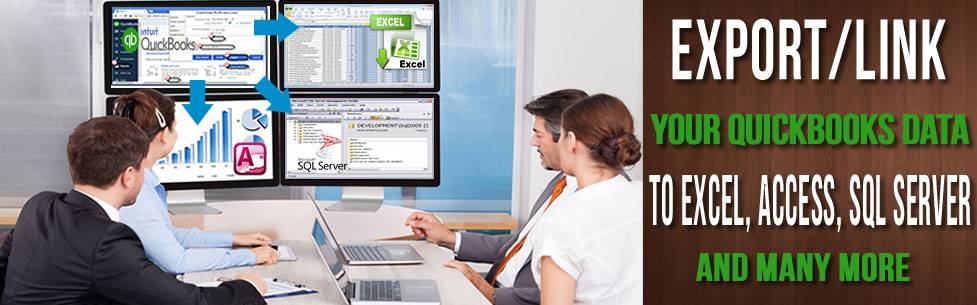
bulletMerge QuickBooks data with data from Excel spreadsheets.
bulletMerge data from multiple companies or reports into one report with ease.
bulletComplete display control with drag-and-drop ease.
bulletPre-built report formats and data structures - ready to run.
bulletReport Genie creates the basic report format with one click.
bulletUse filters and columns not available in QuickBooks.
bulletCreate reports, custom invoices, mail merge letters, address labels.
bulletE-mail reports as secure PDF, Microsoft Word, Text or Web HTML formats.

Examples:-
 
bulletMulti-company sales comparison reports can be built by creating a table for the sales report for each company, the running a report on the merged reports as a set.
bulletFiltered report data without QuickBooks subtotal lines, titles or line extras.
bulletReport custom commissions on paid invoices.

Coming Soon!

Announcement List
To be alerted to news about QIntegrator, product releases, beta test cycles, new features and promotions subscribe to QODBC News Asia Pacific.


Email:
Subscribe to QODBC News Unsubscribe QODBC News

Data Access Worldwide Support Solutions

We offer a variety of technical support solutions in order to give our customers a wide range of choices to determine how we may best help them meet their support needs.

Our FREE QDeveloper Forum
Our FREE forum is dedicated to the professional exchange of information where QODBC & FlexODBC users can post support queries, report product bugs, search the FAQs and much more. To visit the forum click here.

Buy Support Incidents
If you can't find your answer in the FREE Public QDeveloper Forum, require URGENT Priority Support, or you need to send us private or confidential information, purchase one of our Support Incidents by clicking here.

Callback Support
If you live in the USA, UK, Canada, Australia or New Zealand, you can leave us your contact details with your question and request us to call you back and discuss them with you personally (charges apply).

Pre-Paid Phone Support
Pre-Paid Phone Support time must be purchased from our website prior to placing a support call. Telephone support is the fastest way to speed up problem diagnoses and resolution or simply receive an experienced perspective on your particular issue. Telephone support is billed at the rate of A$33.00 per 20 minutes for one question or issue ("incident"). After you have purchased support time, you will be advised of the priority support number to call to speak to a technical support person or to make an appointment. While there are times the technical support team will be available for immediate help, they may have other calls to handle before scheduling your time. We will attempt to close all calls the day of your call.

Q: What is ODBC?
A: ODBC (Open DataBase Connectivity) is a specification designed by Microsoft to allow Windows applications to access multiple database systems through a single method with no regard for various file formats. SQL (Structured Query Language) is used as the method for accessing data through ODBC. Vendors of ODBC drivers (like this one) follow the specifications for ODBC so that any ODBC compliant application can access the data available through the driver.

Q: What is QODBC?
A: QODBC is an ODBC driver (DLL) for QuickBooks Accounting format files. QuickBooks Accounting stores it's data in it's own proprietary DBMS file format. This driver allows users of any ODBC compliant front-end application to read and write data contained in QuickBooks Accounting format files similarly to any other ODBC enabled database.

Q: What can I do with QODBC?
A: QODBC opens up the QuickBooks Accounting files created by thousands of custom programs to the new world of database connectivity. Microsoft Access or Visual Basic can be used to merge QuickBooks Accounting data with other data sources to produce complex reports, or to run mass file updates based on multiple criteria.

Q: What kind of learning curve is there for QODBC?
A: After quick installation of the driver, no training is required! This driver is transparent, requires no learning curve and works in exactly the same fashion of other ODBC drivers. Users of ODBC compliant front-end applications do not necessarily need to learn SQL language to access the QuickBooks database files. Many of these ODBC compliant applications simply present wizards enabling the user to create queries against the database.


 Back Next