




Visual DataFlex
12 is a complete application
development tool for Windows and Web environments, and is known for
being one of the most powerful database application development tools in
the industry. Visual DataFlex is specifically designed for the purpose
of building client/server database applications - fast.
Visual
DataFlex's integrated
Web Application Server technology delivers
dynamic, fast, secure, web-enabled database applications utilizing
Windows Server technology. Visual DataFlex Studio's web application wizards and
other rapid development facilities seamlessly build ASP and business
logic code for creating database-enabled Web applications. The Web
Application Server is the business logic engine and deployment tool, for
controlling intelligent database integration and centralized business
rule and process execution.
As an
added extra, Visual DataFlex
12 also includes a complete application for
Web content management -
Electos! Electos is a perfect choice to
accompany Visual DataFlex
12. Electos is immediately useful to
end-users, and it opens a wide range of opportunities for Visual
DataFlex developers
to integrate the system with their own applications to create exciting
new Internet solutions.


Visual
DataFlex Developers in Asia Pacific now also receive a FREE
license of the newly released
FlexODBC Version 4 with their
Visual DataFlex 12
Studio and subscription renewals, valued at A$467.50!!!
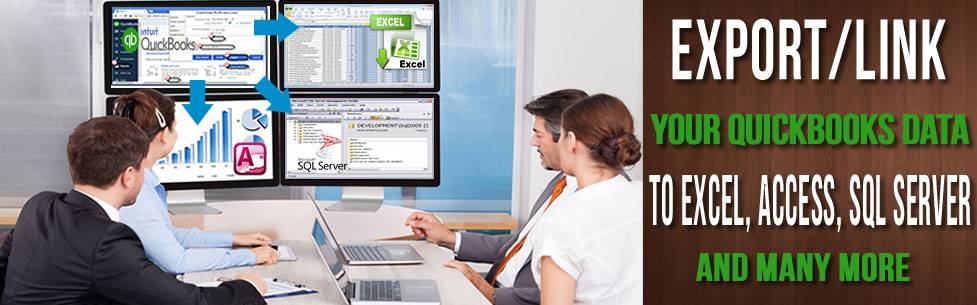
FlexODBC is an ODBC driver (DLL)
for the DataFlex Embedded DBMS. This driver allows any ODBC compliant
front end application to read and write data contained Visual DataFlex
applications. A user in Microsoft Office can use Excel to pull company
accounting or invoice information directly into a spreadsheet and create
a chart. Microsoft Word users can do a customer mail merge directly from
DataFlex files. Crystal Reports users can create multi-file reports from
DataFlex data. Microsoft Access or Borland Delphi can even be used to
merge DataFlex data with other data sources to produce complex reports,
or to run mass file updates based on multiple criteria.


Visual DataFlex
Features
Studio -- Visual DataFlex's operations centre for application building
The finely tuned interaction among Studio's components enhance developer
productivity; Data Dictionaries and Business Process Objects eliminate
huge amounts of redundant, high maintenance code. Visual DataFlex's
rich, object oriented language and robust class library provide
developers with everything needed for successful custom projects and
high quality commercial products.
Fast, easy visual development
With Visual DataFlex Studio's application framework, class library and
rich set of pre-programmed controls and components, the design and
implementation of Windows and Web applications is a structured, well
managed process. Integrated source-level debugging facilities help track
down and fix problems quickly and easily. Studio can fully integrate
custom class libraries and generate application code based on custom
libraries. Component Explorer enables the loading of multiple Components
and source-code files on separate tabs.
Web-enable Windows applications with Web Application Server
Visual DataFlex Windows and Web applications share a common technical
and operating foundation so developers can reuse large portions of
Windows applications to create new, browser based solutions in minimum
time. The secure, high-performance Web Application Server seamlessly
integrates with the Windows application environment.
Windows-enable Web applications
Internet applications with browser, PDA or wireless interfaces often
need companion Windows applications to complete a business solution.
Visual DataFlex's cross platform application components enables the
rapid construction of Windows interfaces on web, ecommerce and intranet
solutions deployed with Web Application Server.
Extend Windows desktop applications to the Internet
Visual DataFlex provides robust support for XML through a class
interface based on the industry standard XML Document Object Model
(DOM). XML documents can be delivered to Internet URLs using Visual
DataFlex's FTP and HTTP classes. The cMapiHandler class provides
extensive MAPI support to read and write email.
Data Aware Controls without the need for custom code
Writing code just to establish the links between a control and your data
is a thing of the past.
Easily Integrate COM Automation and Active-X controls
Built-in COM automation enables you to easily integrate the vast array
of COM servers and ActiveX controls into your VDF applications
No more worrying about data integrity
An application's business rules and data validations are encapsulated in
middle-tier Data Dictionary Objects that are automatically bound to an
application's user interface whether it runs on the Windows desktop or
in a web browser.
Eliminate repetitive tasks and improve the consistency of your
applications
Every component of your application, from the database and business
rules, to complete views is reusable - and extendable. Visual DataFlex's
enhanced support for sub-classing and external classes provides the
simplicity of drag and drop development for all custom controls.
High-level control when you want it
When dealing with code is inefficient or unnecessary, the high-level
tools in the Studio provide quick and easy access to the visual and
database properties of each control.
Complete control when you need it
When you have to touch and feel your applications code, the Studio's
Code Explorer puts it, and the awesome power of Visual DataFlex's
object-oriented 4GL, all at your fingertips.
Multi-user database operations are automatic
The applications you create in Visual DataFlex manage multi-user
concurrency without the need for any special coding. Plus, if you elect
to use on of the many client/server options available for Visual
DataFlex applications, your unchanged applications will trigger the
transaction capabilities of the host environment.
Increase the return on your investment
Visual DataFlex's tiered development system is designed to accommodate
the latest trends in distributed, rule-based, client/server database
application architecture. The combination of the Visual DataFlex methods
and the Studio provides an easy-to-master environment for business
process-based application design. Visual DataFlex enables you to quickly
take multiple applications to deployment, through well-controlled and
structured development processes. Applications powered by Visual
DataFlex today will continue to deliver value tomorrow with open
connectivity to database management systems, efficient life-cycle
maintenance, and future access to changing application client and server
environments.

Visual DataFlex Studio
The Visual DataFlex Studio is a complete application development toolkit
including an integrated set of development tools, compiler, application
framework, component library, database utilities,
FlexODBC ODBC
Driver and documentation. A
Visual DataFlex Studio License is required for each person that uses the
Visual DataFlex Studio. The Studio license fee includes the first year’s
Annual Subscription.
The Studio license also functions as a 3-User Visual DataFlex Client
Engine for internal development, testing and deployment of application
software (you may not deploy outside of the company that the license is
registered to using this license). Additional users and sites each
require additional Client Engine Licenses. A distributable Evaluation
Client Engine is also provided with the Development License as a
facility for commercial software developers to market their application
products.
A Web Application Server - Lite Edition
licensed for development & testing only is also included with the
Studio, however it cannot be used for Web
application deployment.
The Visual DataFlex Studio Annual
Subscription provides subscribers with new product features and
enhancements, updates, bug fixes and documentation. The subscription fee
is paid annually in advance.
Visual DataFlex
12 Studio 30
Day Evaluation
A ready-to-install, Visual DataFlex
12 Studio 30 Day Evaluation is
available to application developers. The Evaluation has no limitations
other than a splash screen and will automatically expire and cease to
operate 30 days following installation on a given computer system.
Specific terms and conditions of use are defined in the License
Agreement. A Visual DataFlex
12 Studio 30 Day Evaluation
can be “activated in place” to enable a developer to use the Studio
without re-installation.
Once
you've installed Visual DataFlex
12, the best way to quickly acquaint
yourself with application development using Visual DataFlex is to get
started by reading the Web Application Quick Start and
Windows
Application Quick Start sections in the Visual DataFlex Help system.
Visual DataFlex Studio Pricing :